
Best Photo Viewer for macOS
What actually matters when choosing an image viewer for your Mac
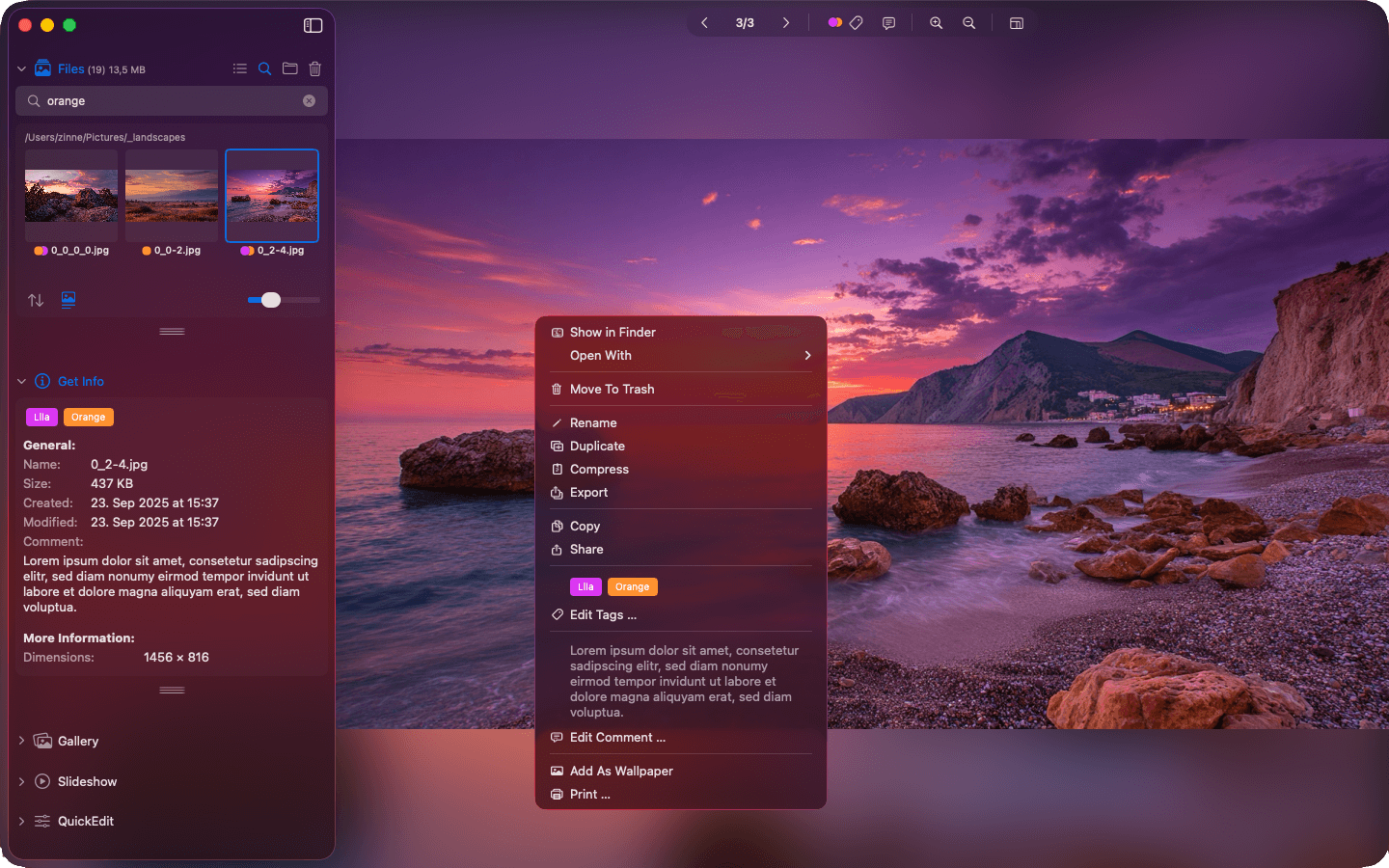
Photo viewer Mac
Let's be real: the "best photo viewer for macOS" isn't necessarily the one with the longest feature list. What matters is how well a tool fits into your actual workflow – does it speed things up, or does it just get in the way?
A lot of macOS apps want you to import your photos, build libraries, and let the app organize everything for you. That's fine if you're into it – but if you already have a folder structure you like, it can feel like fighting the tool instead of using it.
What makes a great photo viewer
A solid photo viewer on macOS should really only need to do three things well:
- • Open and display images fast – even in folders with hundreds or thousands of files
- • Handle a wide range of formats out of the box, including RAW files from your camera
- • Stay out of your way – no clutter, no unnecessary steps, just your images
The fewer clicks between "open folder" and "see image," the better. That is really the whole philosophy behind fast image browsing on macOS.
Why Phiewer is a better fit for most workflows
Phiewer isn't trying to be a photo catalog or a library manager. It works directly with your file system and shows your media exactly the way it's organized on disk. No imports, no syncing, no waiting. That alone makes it a go-to for photographers, designers, and developers who just want to browse their files.
- • Fast, fluid navigation through folders – just point it at a directory and go
- • Multiple view modes so you can get a quick overview or zoom into details
- • Images, videos, and audio all in one app – no need to juggle multiple tools
The result? A photo viewer that actually feels lightweight – even when you're working with thousands of files.
Bottom Line
The best photo viewer for macOS is the one that doesn't slow you down. Phiewer is built around that idea: fast, clean, and no unnecessary complexity. It adapts to how you work – not the other way around.
Ready to try it?
If you're tired of bloated photo apps that want to reorganize your life, or keep running into the limits of Preview, give Phiewer a shot. It's free to try, and you might be surprised how much faster your workflow gets when your tools just stay out of the way.